

Key Takeaways
-
1Missed calls cost deeply: Healthcare providers miss 29% of calls, leading to annual losses of $200,000–$500,000 per practice.
-
2ROI beyond salary: Comparing virtual receptionist costs to in-house salaries ignores indirect benefits like reduced burnout, better patient experience, and lower turnover.
-
3Revenue boost through call capture: Virtual receptionists handle overflow and after-hours calls, reducing missed opportunities and filling providers’ schedules.
-
4Track key metrics: Aim for a 90-95% call answer rate, keep abandonment under 5-8%, and review metrics every 60–90 days.
-
5System integrations increase ROI: Integrating virtual receptionists with scheduling systems reduces errors, eliminates double entry, and improves efficiency.
Running a busy multi-provider, multi-location group practice is a constant juggling act. Phones ring nonstop, appointments overlap, and front-desk staff are stretched to their limits. Somewhere in that chaos, a potential new patient hangs up and books with your competitor instead.
Many group practices turn to virtual receptionists to manage this volume, but leadership often struggles to justify the investment. The problem is that most practices look only at cost per hour and compare it to in-house staff salaries.
What they miss is the broader picture: missed calls, unbooked appointments, staff burnout, and patient dissatisfaction. These indirect costs add up fast and often dwarf what shows up on a spreadsheet.
The good news is that ROI here is measurable. When you compare the revenue gained from better call capture and fewer no-shows against your current front-desk overhead, the math becomes clear.
For example, if a group practice spends $2,500 per month on a virtual receptionist and recovers $6,000 in additional collected revenue, that’s a 140% ROI for that period alone.
In this guide, you’ll learn exactly how to calculate that number for your own practice. We’ll walk through direct and indirect returns, operational improvements, productivity gains, and the real impact on staffing costs across multiple locations. By the end, you’ll know with confidence whether your virtual receptionist solution is pulling its weight — or whether it’s time to rethink your setup.
Table of Contents
Why Group Practices Struggle to See Virtual Receptionist ROI

Recent analyses show how costly missed calls really are. One report found healthcare providers miss an average of 29% of calls, wasting up to 383,827 in marketing spend each month because interested patients never reach the practice.
Another industry review estimates that the average medical practice loses between 200,000 and 500,000 annually from missed calls alone, with losses exceeding 1 million in some high‑volume specialties.
Group practices are not solo practices. They operate in a more complex environment:
- Multiple providers and locations mean calls can be missed if routing isn’t precise.
- Higher call volumes increase the likelihood of dropped or unanswered calls.
- Complex scheduling rules require careful attention to match patients with the right provider.
The consequences of poor call management are significant:
- Lost new patients: A patient who can’t reach the office may go to a competitor.
- Underfilled provider schedules: Missed calls mean empty appointment slots.
- Burnout and turnover: Overworked receptionists leave, resulting in frequent hiring and training cycles.
Scenario: A medical practice with six doctors and clinicians was missing over 150 calls each month. Even without doing detailed financial calculations, leadership could see the impact: patients were frustrated, staff were stressed, and appointment schedules were often underbooked. This showed that just comparing salaries to the cost of a virtual receptionist doesn’t tell the full story.
What ROI Really Means for Virtual Receptionists in Group Practices
ROI isn’t just about dollars spent versus dollars saved. It’s about understanding the full impact of virtual receptionists on your practice’s efficiency, revenue potential, and staff wellbeing.
The Basic Virtual Receptionist ROI Formula
At a high level, you can calculate virtual receptionist ROI using a simple formula:
Virtual receptionist ROI = Financial gains from VR − Total cost of VR / Total cost of VR
Direct vs. Indirect ROI
- Direct ROI: This includes tangible savings, such as reducing front-desk staff hours, cutting overtime, and capturing calls that otherwise would have been missed.
- Indirect ROI: This includes less obvious benefits, like improving patient experience, reducing no-shows, increasing provider focus time, and lowering staff turnover.
By considering both direct and indirect ROI, group practices can gain a more complete understanding of the value of virtual receptionists.
Step-by-Step Calculation of ROI of Virtual Receptionists
Step 1 – Map Your Current Front Desk Costs
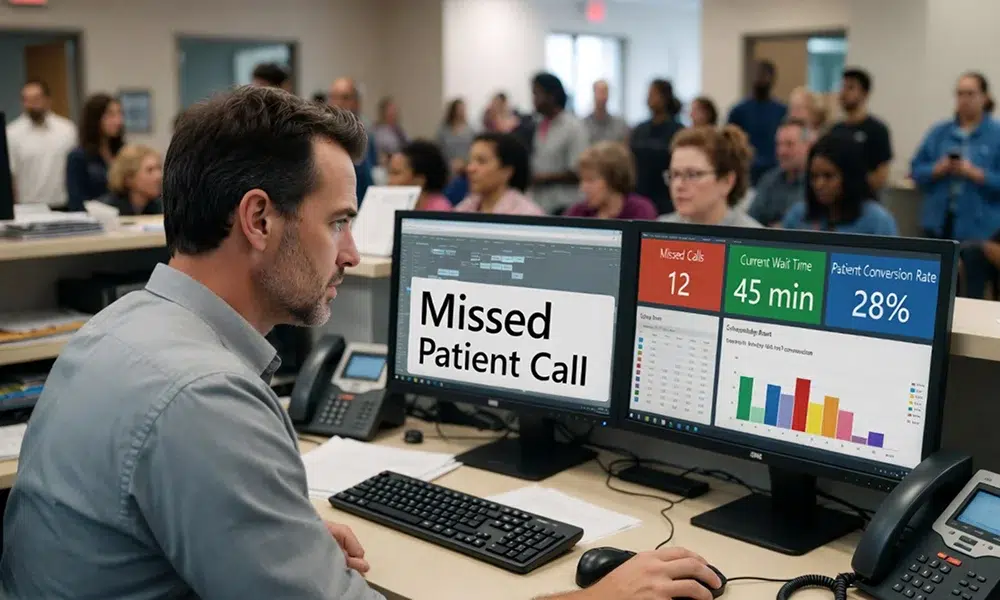
Before evaluating virtual receptionists, it’s important to understand your current costs. Group practices often underestimate what it truly costs to run an in-house front desk.
Fully Loaded Receptionist Costs
When calculating in-house costs, consider:
- Base salaries and benefits
- Payroll taxes
- Equipment, software, and phones
- Training and onboarding
- Costs associated with turnover
Example: A practice with three locations may not realize that each receptionist requires ongoing training to handle multiple schedules, insurance verification, and patient inquiries. These hidden costs add to the total cost of running a staffed front desk, making it more expensive than it appears at first glance.
Missed Opportunity Costs
Missed calls are not just an inconvenience, they have real consequences. In group practices, a missed call can lead to:
- Lost new patients
- Reduced appointment volume
- Increased administrative follow-up required from providers or staff
Even without attaching numbers, it’s clear that missed opportunities represent a significant drain on operational efficiency and revenue potential.
Step 2 – Identify Revenue Uplift from Virtual Receptionists
Virtual receptionists do more than answer phones—they enhance patient acquisition, improve scheduling efficiency, and support staff productivity.
More Calls Answered, More Appointments Booked
By handling overflow calls and after-hours inquiries, virtual receptionists ensure that fewer calls go unanswered. This means that patients can schedule appointments when they want, and providers’ schedules are fuller and more predictable.
Scenario: A multi-provider practice implemented a virtual receptionist during peak hours. Front-desk staff were able to focus on in-person patients and complex scheduling, while the virtual receptionist captured overflow calls. Staff reported fewer interruptions, and patients consistently got through on their first attempt.
Higher Conversion Rate on New Patient Calls
Virtual receptionists follow structured scripts and proper intake procedures. This ensures:
- Accurate patient information collection
- Efficient scheduling of appointments
- Enhanced patient satisfaction
When calls are handled professionally, new patients are more likely to convert, resulting in an increase in both patient volume and overall practice reputation.
Extended Hours and After-Hours Capture
Virtual receptionists can operate beyond standard office hours. Evening and weekend coverage ensures that patients who cannot call during normal hours still have access. This improves patient satisfaction and reduces lost opportunities.
Scenario: A 5-provider practice discovered that many patients preferred evening appointments. By having a virtual receptionist available after hours, the practice captured patient inquiries that previously would have gone unanswered, improving overall scheduling efficiency.
Step 3 – Quantify Cost Savings and Efficiency Gains
Virtual receptionists provide significant operational benefits, even without calculating exact revenue gains.
Reduced Staffing and Overtime Stress
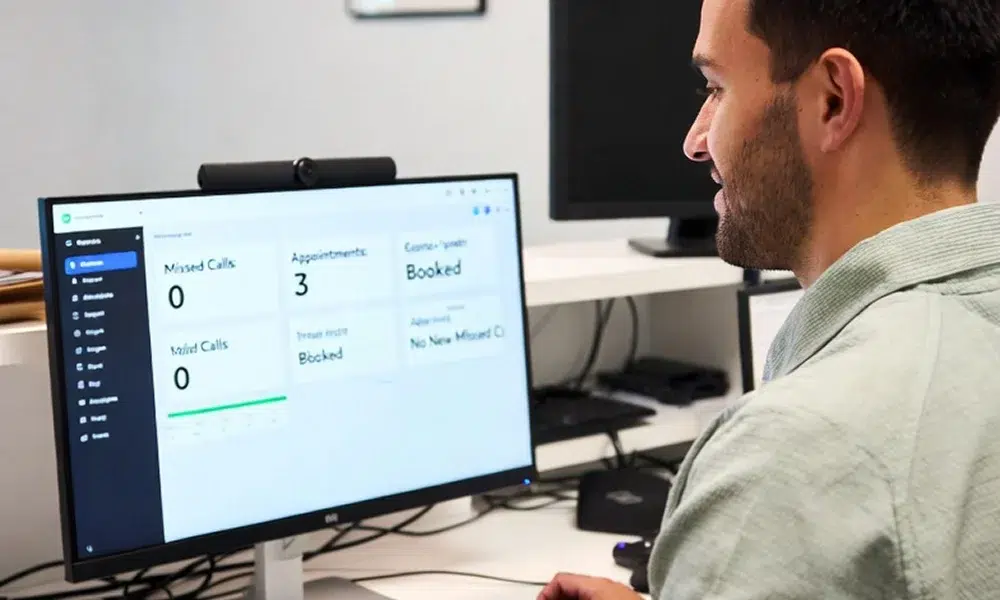
Virtual receptionists can reduce the need for additional in-house staff during peak periods and after hours. This decreases staff stress and burnout, while maintaining consistent call coverage.
Scenario: A group practice with a core front-desk team used virtual receptionists for overflow calls during busy mornings. Staff were able to complete daily tasks without feeling overwhelmed, reducing overtime needs and allowing more focus on patient interactions.
Fewer Distractions for Clinical and Administrative Staff
When calls are managed efficiently:
- Providers can focus on patient care instead of handling administrative interruptions
- Practice managers can handle operational priorities without constant phone interruptions
- Clinical staff can dedicate more time to billable procedures
This productivity gain from virtual receptionists benefits the entire practice.
Lower Turnover and Training Costs
High turnover in front-desk staff is costly and disruptive. Virtual receptionists stabilize workloads and reduce the risk of burnout. This results in fewer hiring cycles and lower training costs, enhancing overall operational efficiency.
Scenario: A multi-location practice reported that front-desk turnover dropped significantly after implementing virtual receptionist support. Staff morale improved, and administrative processes became more consistent.
Step 4 – Key Metrics to Track for ROI
Even without financial calculations, group practices can track operational and patient-centric metrics to understand ROI:
Phone and Booking Metrics
- Call answer rates during peak and off-peak hours
- Call abandonment rates and average hold times
- New patient conversion percentages
- Number of appointments booked per answered call
Operational Metrics
- Front-desk workload and interruptions
- Staff stress and overtime hours
- Provider schedule utilization
- Turnover and training frequency
Patient Experience Indicators
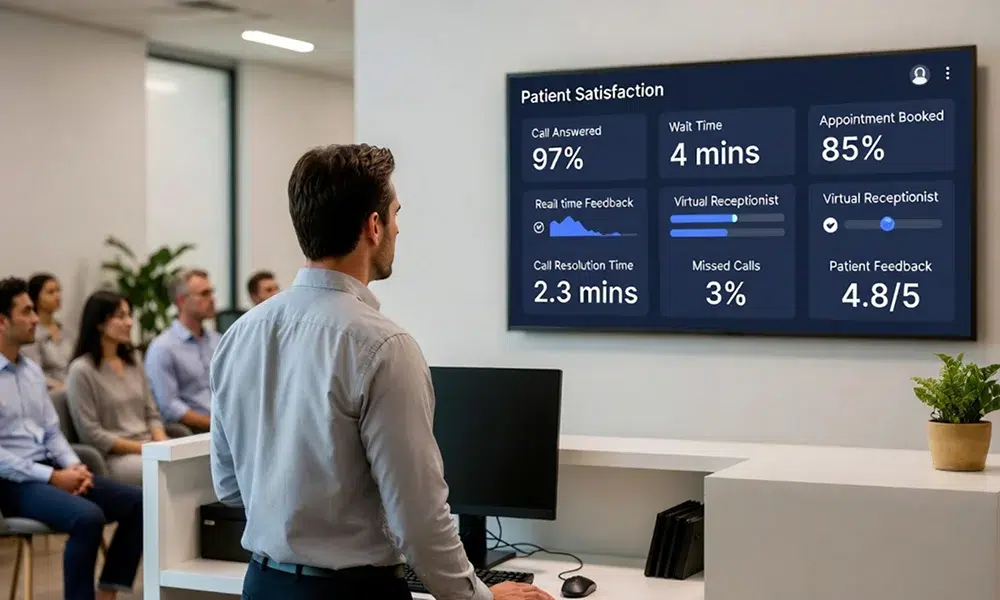
- Patient satisfaction with phone access
- Feedback on wait times and scheduling ease
- Patterns of missed follow-ups or appointment cancellations
By monitoring these indicators, practices can see the virtual receptionist impact on staffing costs and operational efficiency over time.
Suggested Benchmarks and Targets
To understand whether your numbers are healthy, compare them against simple targets:
- Call answer rate: Aim for 90–95% of calls answered during business hours, with higher coverage once virtual receptionists are in place.
- Call abandonment rate: Try to keep abandonment under 5–8%; double‑digit abandonment is a clear sign that calls are being lost.
- Average hold time: Target under 60 seconds for most calls, with clear options if waits are longer.
- New patient conversion: Track the percentage of new patient inquiries that become booked appointments and set a goal to improve this over time.
Review these metrics every 60–90 days and adjust staffing, scripts, and coverage windows based on what the data shows.
Why Integrations Matter for ROI
The real power of virtual receptionists shows up when they are tightly integrated into your existing systems.
- Practice management and EHR systems: When virtual receptionists can book directly into your scheduling system, verify basic details, and document call outcomes, it removes double entry and reduces errors for your in‑house team.
- Phone system and call routing: Smart routing rules based on location, provider, language, or service line ensure patients reach the right person the first time, improving the experience and reducing transfers.
- Secure messaging and tasks: Integrated messaging allows virtual receptionists to create follow‑up tasks or send notes to clinical staff instead of interrupting them with calls, protecting provider focus time and smoothing workflows.
These integrations don’t just make life easier for staff—they directly improve utilization, reduce rework, and strengthen the ROI case.
Group Practice-Specific ROI Levers
Some ROI advantages of virtual receptionists only emerge at scale — and group practices are uniquely positioned to capture them.
Shared coverage across locations eliminates the need for a dedicated receptionist at every site. Instead of paying three front-desk salaries across three locations, a single virtual receptionist layer handles overflow and after-hours for all of them.
For practices with three or more locations, this alone can reduce per-provider front-desk cost by 20 to 35 percent depending on call volume and hours of coverage.
Load-balancing appointments across providers prevents the common problem where one provider’s schedule is overbooked while another’s has gaps.
A well-trained virtual receptionist, working from clear scheduling rules, can distribute new patient calls across providers and locations in real time — improving utilization and reducing the revenue lost to uneven scheduling.
Segmented coverage by service line means a patient calling about a pediatric concern, an urgent care need, or a follow-up appointment reaches a receptionist trained specifically for that pathway.
This reduces misdirected calls, shortens handle time, and ensures the right patient reaches the right provider without burdening your clinical staff with triage that should never have reached them.
Together, these levers compound. A group practice that captures more calls, distributes them intelligently, and routes them accurately is not just more efficient — it is materially more profitable per provider than a practice relying on fragmented, location-by-location front-desk coverage.
Virtual Receptionist ROI Maturity Stages for Group Practices
Most group practices do not implement virtual receptionists all at once. They move through distinct stages, and knowing where you are on that curve tells you exactly where your next ROI gain is hiding.
Level 1 — Overflow and After-Hours Coverage
At this stage, the practice deploys a virtual receptionist specifically to capture calls that would otherwise go to voicemail — after hours, during lunch, or when all front-desk lines are busy. The goal is straightforward: plug obvious revenue leaks and reduce staff stress without overhauling existing workflows.
Practices typically stay at Level 1 for three to six months. The signal to move forward is when call answer rates stabilize above 90 percent and leadership starts asking why daytime abandonment rates are still higher than they should be.
Level 2 — Shared Coverage Across Locations
Coverage expands to daytime calls across multiple sites. Scripts are standardized, scheduling rules are defined per provider and location, and call metrics like answer rate, abandonment rate, and booking conversion are actively monitored. At this stage, the virtual receptionist becomes a true operational layer rather than a backup plan.
The trigger to move to Level 3 is when your data shows consistent performance but you are still manually reviewing exceptions, handling escalations inefficiently, or noticing gaps between service lines that a single script cannot address.
Level 3 — Fully Optimized, KPI-Driven Model
The virtual receptionist integrates directly with your scheduling and EHR systems. Coverage is segmented by service line with distinct scripts, escalation paths, and performance benchmarks for each. Leadership reviews call metrics monthly, patient feedback is actively collected, and the system is continuously refined based on data rather than intuition.
At this level, the virtual receptionist is not a cost center — it is a revenue and retention engine with a measurable, defensible ROI that can be reported to stakeholders.
Knowing which level your practice is at today prevents two common mistakes: underinvesting by treating a Level 2 solution like a Level 1 experiment, and overbuilding before your team has the operational capacity to manage a Level 3 system.
Risk, Compliance, and Quality Controls
ROI that comes with hidden liability is not real ROI. Because virtual receptionists handle sensitive patient information at the front line of your practice, governance is not optional — it is a prerequisite for sustainable returns.
HIPAA and Privacy Compliance
Your vendor must be able to sign a Business Associate Agreement, use encrypted communication channels, and demonstrate that their staff are trained on handling protected health information.
For group practices operating across multiple states or specialties, verify that compliance protocols account for any state-level privacy laws that go beyond federal HIPAA minimums.
Script Governance
In a single-provider practice, one script can cover most situations. In a group practice, a pediatrics line, an urgent care line, and a chronic care management line each carry different clinical stakes and require different escalation logic.
A script appropriate for scheduling a routine follow-up is not appropriate for a caller describing chest pain. Establish distinct scripts for each service line, define clear boundaries for what a virtual receptionist should and should not handle, and review those scripts every quarter or whenever a provider, service line, or escalation protocol changes.
Quality Assurance
Set a minimum standard of reviewing a random sample of calls each month — typically five to ten percent of total volume. Track handle time, first-call resolution, booking conversion, and escalation accuracy.
Use patient feedback scores alongside call data to catch script gaps that metrics alone will not surface. In multi-location practices, run QA reports by location and service line separately so performance issues do not get hidden inside averaged numbers.
Failsafes and Escalation Paths
Every virtual receptionist engagement should have a clearly defined ceiling — a point at which the call transfers to an in-house staff member, a nurse, or an on-call provider without hesitation.
These thresholds should be documented, tested during onboarding, and revisited regularly. An unclear escalation path is not just a patient experience problem — it is a clinical risk and a liability exposure.
Practices that invest in governance upfront protect more than patient trust. They protect the ROI itself. Early gains from better call capture erode quickly when call quality drops, complaints accumulate, and a single compliance gap triggers an audit or a breach notification. Governance is what makes your virtual receptionist ROI durable — not just impressive on a dashboard for the first quarter.
Common Mistakes When Evaluating Virtual Receptionist ROI

Even experienced practices often make these mistakes:
- Focusing only on hourly costs: Ignoring missed calls and productivity gains leads to undervaluing virtual receptionists.
- Not separating new patient and existing patient calls: Understanding the impact on new patient acquisition is critical.
- Ignoring indirect benefits: Staff retention, reduced burnout, and improved provider focus are often overlooked.
- Failing to establish a baseline: Comparing pre- and post-implementation performance ensures ROI is measured accurately.
Example: A practice initially dismissed virtual receptionists as “too expensive” because they only considered monthly plan costs. Once they tracked call coverage, staff interruptions, and patient satisfaction, they realized the solution significantly improved workflow and reduced operational stress.
Practical Tips to Maximize ROI
- Start with high-impact use cases like overflow during peak hours or after-hours coverage.
- Ensure call scripts and intake procedures align with provider preferences and scheduling rules.
- Review operational metrics periodically (every 60–90 days) and adjust coverage based on real-world performance.
- Consider hybrid models where a smaller in-house team works alongside virtual receptionists for optimal efficiency.
- Train staff to collaborate with AI medical receptionists to ensure seamless patient interactions. Integration between your team and virtual receptionists is crucial for smooth operations and a superior patient experience.
By following these tips, group practices can fully capture the financial and operational benefits of virtual receptionists.
How to Report ROI to Leadership
To keep leadership aligned and supportive, summarize virtual receptionist performance in a simple monthly or quarterly dashboard that highlights:
- Access and coverage: Answer rate, abandonment rate, and average hold time.
- Revenue impact: Changes in new patient bookings, recovered missed calls, and provider utilization.
- Staffing impact: Overtime hours, front‑desk turnover, and hiring/training events before and after implementation.
- Patient experience: Survey scores on phone access and responsiveness, common complaints, and trends in cancellations or no‑shows.
Presenting ROI in this way turns virtual receptionists from a perceived “cost center” into a visible operational and growth lever for the group practice.
Conclusion
Group practices should approach the ROI of virtual receptionists strategically. Even without exact financial calculations, careful tracking of operational, staffing, and patient metrics reveals their true value.
Virtual receptionists do more than save money, they reduce staff burnout, improve scheduling efficiency, enhance patient experience, and support provider productivity.
By implementing structured tracking and evaluation, practices can make informed decisions and scale coverage where it provides the greatest benefit.
Investing in virtual receptionists is not just a cost, it’s a step toward operational excellence, happier staff, and satisfied patients. By measuring ROI through operational impact and staff/patient outcomes, group practices can confidently determine the value of their virtual receptionist solution.
FAQs
How long does it usually take a group practice to see positive ROI?
Most practices see measurable benefits within 2–3 months, as missed calls are captured, staff efficiency improves, and patient satisfaction increases.
Should we replace our front desk entirely or use a hybrid model?
A hybrid model is often best, keep a core team for in-person support while virtual receptionists handle overflow and after-hours coverage. This balances cost savings with personalized service.
How do we handle providers who want different intake questions?
Virtual receptionists can use customized scripts per provider or department, ensuring intake questions align with each provider’s preferences without disrupting workflow.
What data do we need to track before and after implementation?
Track call answer rates, missed calls, new patient conversions, appointments booked, front-desk workload, staff overtime, and patient satisfaction to measure ROI effectively.