

Key Takeaways
-
1Document current workflows: Start with a complete record of call scripts, FAQs, scheduling rules, and escalation protocols to train the AI effectively.
-
2Tailor scripts to your clinic: Use clinic-specific scripts to ensure the AI handles edge cases properly and matches your staff’s behavior, not a generic template.
-
3Communicate AI’s role: Frame the AI as a tool to handle repetitive tasks, not a replacement, to reduce staff resistance and ensure smoother implementation.
-
4Gradual deployment works best: Begin with after-hours coverage, then expand to overflow calls, allowing the AI to learn patient patterns gradually.
-
5Ongoing human review improves AI: Regularly review AI interactions and outcomes to refine responses and improve the system over time.
Did you know that every awkward or incorrect response from an AI receptionist quietly damages patient trust and can directly lead to revenue loss?
When callers hear hesitation, vague answers, or the wrong information, they don’t blame the technology. They blame the clinic. This usually happens for one simple reason: the AI wasn’t trained properly.
An AI receptionist has the potential to become one of your highest-converting team members. But that only happens when it’s trained with clarity, structure, and intent.
Without that foundation, even the most advanced system will struggle to deliver consistent, safe, and on-brand conversations.
Training an AI receptionist is not a plug-and-play process. It doesn’t automatically understand how your clinic operates, what your patients expect, or how your brand should sound.
When an AI receptionist fails by giving unclear answers, missing critical details, or frustrating callers, it’s rarely because the underlying technology is flawed. It’s because no one took the time to train your AI receptionist with the right instructions, knowledge, and boundaries.
Most underperforming AI receptionists fail for the same reasons: unclear instructions, weak prompts, and messy or incomplete knowledge bases. The algorithm may be powerful, but without structure, it is forced to guess, and guessing has no place at the front desk.
When we talk about AI receptionist training, we’re not talking about complex coding or data science. Training means designing clear prompts, organizing accurate information, and setting decision rules so the AI knows what to say, when to say it, and when to escalate to a human. Done right, this creates behavior that is predictable, safe, and aligned with real clinic workflows.
This guide is built for founders, operations leaders, and clinic teams who want to train your AI receptionist to be reliable, on-brand, and genuinely helpful, without needing a technical background.
If your goal is fewer missed calls, clearer patient conversations, and a front desk that reduces workload instead of creating new problems, you’re in the right place.
Table of Contents
What AI Receptionist Training Really Looks Like

Many teams assume AI receptionist training means writing a few scripts and turning the system on. In reality, effective training is a layered system that controls how the AI behaves across every interaction.
A well-trained AI receptionist doesn’t “wing it.” It follows clear instructions, pulls from a trusted AI receptionist knowledge base setup, and operates within defined decision boundaries.
The Three Layers of AI Receptionist Training
System Instructions define the AI’s role, tone, authority, and limits. Without strong system instructions, the AI may sound confident but behave inconsistently.
Knowledge Base accuracy comes from a well-structured knowledge base. Include services, pricing, operating hours, policies, FAQs, and terminology. If the knowledge base is incomplete, the AI either gives wrong answers or over-escalates simple questions.
Decision Rules control AI behavior under pressure. They determine when to answer, when to escalate, and how to handle emergencies or edge cases. A lack of decision rules leads to confusion, over-promises, or inaccurate responses.
What AI Receptionists Can and Cannot Learn
AI receptionists do not learn automatically from calls the way human staff do. They don’t remember mistakes unless you curate data and update prompts or knowledge base entries. Every improvement must be intentional.
This is why creative answers are dangerous in high-stakes situations. Pricing, availability, medical guidance, and policies must always come from verified data, not inference. Reliable AI receptionist training prioritizes accuracy and escalation over improvisation.
Pro tip: Track real call examples where AI gave incorrect or partial answers. Use these as AI receptionist script templates and training prompts for improvement. This ensures AI learns only accurate, actionable behavior.
Clarifying Business Goals and Call Flows

Before writing a single prompt, define what success looks like. AI receptionists without clear goals are more likely to fail.
Defining Success First
Different clinics train their AI receptionist for different outcomes. Common goals include reducing missed calls, increasing appointment bookings, qualifying leads before human handoff, deflecting repetitive FAQs, and improving after-hours coverage.
Metrics to track early include call completion rate, lead capture rate, escalation accuracy, booking accuracy, and caller satisfaction.
Example: A clinic aiming to reduce missed calls might track every call that is unanswered, partially answered, or escalated unnecessarily. That data then guides updates to prompts and the knowledge base.
Mapping Call Types and Intents
Most inbound calls fall into predictable categories: new patient inquiries, existing patient questions, emergency or urgent issues, billing and insurance questions, rescheduling or cancellations, general information, and requests to speak with a human.
An intent map links each call type to a clear outcome: book, answer, escalate, or log a message. This map becomes the foundation for AI receptionist call flow design and prevents confusion during live conversations.
Pro tip: Visualize this call flow like a map. Include every decision point: greet → identify intent → check knowledge base → answer or escalate → confirm details. This reduces errors and improves training efficiency.
Designing the Master Prompt: Your AI Receptionist’s Job Description
The master prompt is the AI receptionist’s “job description.” It defines role, tone, behavior, and limitations.
The Core System Prompt
The master prompt should include role and responsibilities, scope of authority, tone and style, and safety and compliance boundaries.
A strong AI receptionist prompt guide emphasizes clarity and restraint. The goal is to sound helpful, calm, and precise—not clever or improvisational.
Non-Negotiable Guardrails
Your AI receptionist must never invent pricing, policies, or availability, never provide medical, legal, or financial advice, always confirm critical details like names, dates, and times, and escalate immediately when uncertain or when emergencies arise.
These guardrails protect both trust and operational integrity.
Copy-Ready Master Prompt Structure
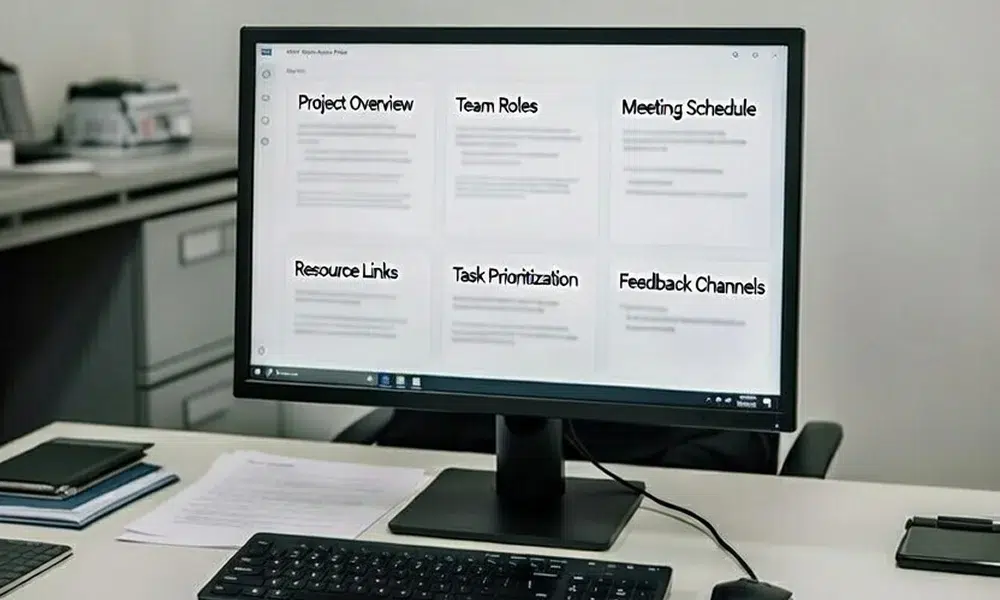
A complete master prompt typically includes role description, tone guidelines, safety rules, escalation triggers, instructions for using the knowledge base, and explicit do-not-guess language.
This prompt anchors all downstream behavior and prevents drift over time.
Example: You are a friendly, professional AI receptionist. You answer only verified questions about services, pricing, and availability. Never provide medical advice. Escalate any emergencies immediately.
Building a High-Quality Knowledge Base
A strong knowledge base is the difference between confident answers and constant escalation.
What to Include—and Exclude
Include service catalog with short descriptions, pricing ranges and fees, operating hours, booking, cancellation, and refund policies, accepted payment methods, and emergency definitions.
Exclude internal notes, marketing fluff, and unverified information.
Designing FAQs That Actually Matter
Use real call transcripts, emails, or support tickets to identify common questions. Target 20–40 high-impact FAQs across categories like availability, pricing, process, and trust. Structure answers clearly: direct answer → brief context → next step.
Formatting for Retrieval Accuracy
Short, atomic entries outperform long paragraphs. Use consistent naming for services and products. Include synonyms and brand terms to ensure the AI recognizes varied caller phrasing.
Teaching Language: Glossaries and Emergency Signals

Bridging Customer Language and Internal Terms
Customers don’t speak in internal jargon. Build a glossary mapping customer phrases to internal terminology. Include abbreviations, slang, and brand names. This reduces misunderstanding and improves first-call resolution.
Emergency and Priority Keywords
Document urgency signals such as “emergency,” “urgent,” or “ASAP.” Define exact AI behavior: acknowledge urgency → collect essentials → escalate.
Handling Edge Cases Politely
Prepare polite “no” scripts for unsupported services, after-hours non-emergencies, or out-of-area requests. Maintain professionalism while managing expectations.
Conversation Flows and Micro-Prompts
Modular micro-prompts improve consistency across scenarios.
Intent Discovery Prompts
Openers should feel natural and conversational. Avoid IVR-style rigid menus. The goal is to identify intent quickly while maintaining a human touch.
Task-Specific Prompt Blocks
Break conversations into blocks: booking prompts, lead capture prompts, FAQ response prompts.
This modular approach allows easy updates and consistent performance.
Fallback and Recovery Prompts
Define rules for clarifying misunderstandings. Limit clarification attempts and escalate gracefully when needed.
Tip: Include a retry-once-and-escalate rule to balance patience and efficiency.
Training by Scenarios With Prompt Packs
Scenario-based training speeds up learning and reduces errors.
New lead scenarios: step-by-step prompts guide greeting, qualification, data capture, and handoff.
Existing appointment scenarios: prompts handle rescheduling, cancellations, and confirmation checks, ensuring accuracy and policy compliance.
After-hours and overflow scenarios: scripts capture information, set expectations, and prioritize callbacks without over-promising.
Industry-specific variations: adapt prompts for healthcare, home services, professional services, or hospitality while maintaining core guardrails.
Integrating Prompts With Tools and Systems

Data Collection and Validation
Define mandatory fields before booking or creating tickets. Confirmation prompts reduce errors before writing to your CRM or calendar.
Calendars, CRMs, and Helpdesks
AI phone receptionist setup must reflect real system capabilities. Prompts should only offer actions the system can actually perform.
Compliance and Privacy Guardrails
Include required disclosures and avoid collecting sensitive data. Embed these rules into greetings and escalation prompts.
Testing and Refinement
Pre-Launch Testing
Simulate noisy environments, accents, and incomplete information. Use a test matrix covering all call types and edge cases.
Reviewing Call Transcripts
Track repeated questions, hallucinated answers, off-brand tone, and missed escalations. Use this data to refine prompts, rules, and knowledge base entries.
Continuous Improvement Through Weekly Training
Review 10–20% of calls weekly. Update FAQs, adjust prompts, and revise policies immediately.
Track AI-only resolution rate, escalation reasons, booking accuracy, callback capture, and customer sentiment. These metrics guide smarter refinements over time.
Advanced Prompting Techniques
Multi-layer prompts and modes for booking, triage, and FAQs, A/B testing greetings, confirmations, and closings, and personalization using CRM data while preserving privacy.
Tip: Layering prompts allows the AI to switch contexts seamlessly, reducing errors during complex calls.
Common AI Receptionist Training Mistakes

Vague role prompts, marketing-heavy knowledge bases, letting AI say “yes” too easily, and skipping weekly reviews slowly erode trust and performance.
Who Should NOT Use an AI Receptionist Yet
AI receptionists require some call volume, clear processes, and defined service offerings. Small teams with few calls or constantly changing pricing may struggle to benefit immediately. Training is an investment, so make sure your clinic is ready to maintain prompts, knowledge base, and call flows consistently.
Conclusion
A reliable AI receptionist doesn’t come from a “set and forget” setup. It comes from clear prompts, a structured knowledge base, and disciplined call flow design.
The process is continuous: design → test → review → refine. Start small, train one or two call types, get quick wins, then expand responsibilities as performance stabilizes.
When done properly, AI receptionist training turns automation into a dependable front-desk asset rather than a liability.
FAQs
1. How long does it take to properly train an AI receptionist?
Usually 1–3 days to draft prompts, build a basic knowledge base, and design core call flows, then 1–2 weeks of iteration based on real call transcripts.
2. Do I need technical skills to train an AI receptionist?
No, but you do need clear processes: define call outcomes, write concrete prompts, and keep your knowledge base structured and up to date.
3. How do I stop my AI receptionist from “making things up”?
Set strict guardrails in the master prompt, forbid guessing on pricing or policy, and instruct it to escalate or say it is unsure when confidence is low.
4. What should I add to the knowledge base first?
Start with services, pricing ranges, business hours, service areas, booking/cancellation rules, and the 20–40 most common FAQs your team already answers.
5. Can the same prompts work for every industry?
Core structure is reusable, but you should always customize terminology, FAQs, compliance language, and escalation rules for your specific industry.