


Key Takeaways
-
1Separate check-in and intake: Check-in covers administrative tasks, while intake handles clinical information. Keeping them separate reduces bottlenecks and errors.
-
2Check-in impacts revenue: Billing accuracy, claim denials, and co-pay collections rely on an efficient check-in process. Rushing it causes costly downstream financial issues.
-
3Distinct workflows for new vs. returning patients: New patients need more time and verification. Separate workflows prevent delays for returning patients and ensure thorough care for new ones.
-
4Digital tools support, don’t replace: Digital check-in tools reduce administrative tasks, but human staff must manage judgment calls, exceptions, and patient reassurance.
-
5Telehealth check-in needs structure: Treat telehealth check-ins like in-person visits with defined steps, ensuring smooth, timely appointments and complete records.
For most U.S. patients, the check-in process is their first real interaction with a medical office on the day of their visit. Long before they meet a physician or nurse, they form opinions based on how smoothly the front desk operates. A confusing or slow check-in can create frustration, anxiety, and mistrust, even if the clinical care itself is excellent.
An efficient patient check-in process helps set the tone for the entire visit. When patients are checked in quickly and clearly, they feel respected and confident in the practice.
For staff, efficient check-in reduces interruptions, lowers stress at the front desk, and keeps schedules on track. For the organization, it improves billing accuracy, reduces claim denials, and supports better patient flow throughout the day.
In U.S. clinics and primary care practices, check-in is not just an administrative task. It is a critical operational function that affects wait times, staff workload, patient satisfaction scores, and revenue cycle performance.
A well-designed check-in workflow can reduce delays across the entire clinic, while a poorly designed one can create bottlenecks that impact every department.
This guide provides a clear, step-by-step framework to streamline patient check-in in American medical practices. Whether you manage a small family medicine clinic, a specialty practice, or a busy multi-specialty group, this approach is designed to be practical, scalable, and easy to implement without disrupting day-to-day operations.
Table of Contents
What Is a Patient Check-In Procedure?

A patient check-in procedure is the standardized process a medical office uses to confirm a patient’s arrival, verify identity and insurance coverage, collect payments, complete required documentation, and notify the care team that the patient is ready for their appointment.
Check-in is often handled by front desk staff, but its impact extends far beyond the reception area. A well-organized check-in procedure supports front desk check-in efficiency, reduces errors in patient records, and ensures that clinical staff can begin care without unnecessary delays.
In the U.S. healthcare system, where insurance verification, co-pay collection, and compliance requirements are complex, the check-in process plays a critical role in both patient experience and financial performance.
Patient Check-In vs. Intake vs. Triage
These terms are often used interchangeably, but they represent different stages of the patient visit:
Patient check-in focuses on administrative confirmation. This includes verifying personal information, confirming insurance eligibility, collecting co-pays or balances, and documenting the patient’s arrival.
Patient intake involves gathering or updating clinical information. Intake may include medical history, medications, allergies, screening questionnaires, and reason-for-visit details. Intake is typically handled by nurses or medical assistants.
Triage determines the urgency and priority of care. It is most common in urgent care, emergency settings, and high-volume clinics where patients must be seen based on clinical need rather than appointment order.
This guide focuses on medical office check-in optimization, while recognizing that check-in overlaps with intake in many practices. When check-in is efficient, intake and triage can proceed more smoothly and with fewer interruptions.
| Stage | Focus | Responsibilities | Performed By | Example |
|---|---|---|---|---|
| Check-In | Administrative Confirmation | Verifying personal info, insurance eligibility, collecting co-pays, documenting arrival. | Front Desk Staff, Receptionists | Patient confirms details, insurance, and co-payments at the front desk. |
| Intake | Gathering Clinical Information | Updating medical history, medications, allergies, screening forms, reason-for-visit. | Nurses, Medical Assistants | Patient fills out forms for medical history, medications, and allergies. |
| Triage | Determining Urgency and Priority of Care | Assessing symptoms, prioritizing care, deciding urgency based on clinical need. | Nurses, Medical Providers | Nurse evaluates symptoms to determine if the patient needs immediate care. |
Core Goals of an Efficient Patient Check-In
An efficient and patient-friendly check-in process should achieve several core objectives:
- Confirm patient identity and insurance eligibility accurately to prevent downstream billing issues.
- Capture co-pays and outstanding balances early in the visit.
- Collect required forms and consents without repeating the same information every visit.
- Notify the care team promptly when the patient is ready.
- Maintain a steady flow of patients without overwhelming front desk staff or creating long waits.
When these goals are met, practices can deliver a faster patient check-in process while maintaining accuracy and compliance.
Common Patient Check-In Pain Points
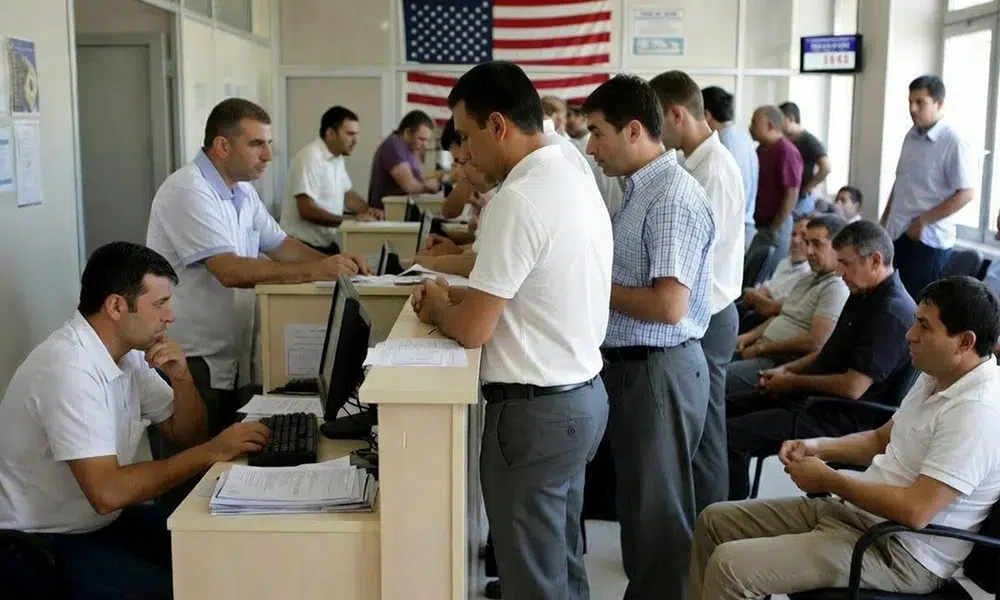
Many U.S. medical practices struggle with check-in inefficiencies that affect both patients and staff. These issues often stem from outdated workflows, limited staffing, or inconsistent procedures.
Recent patient experience data show that U.S. patients now spend an average of about 13 minutes in the waiting room before seeing a clinician, with some specialties routinely exceeding 20 minutes.
One common problem is long lines and crowded waiting rooms when multiple patients arrive at the same time. This is especially common in primary care clinics, specialty practices with block scheduling, and offices that see a high volume of follow-up visits.
Another frequent challenge is manual data entry. When patients complete paper forms at every visit, staff must re-enter information into the EHR, increasing the risk of errors in demographics and insurance details. These errors can lead to claim denials and delayed payments.
Patient confusion is also a major issue. Many patients are unsure what documents to bring, which forms are required, or how early they should arrive. As a result, front desk staff spend a significant portion of their day answering the same questions repeatedly.
Accessibility barriers further complicate the check-in process. Older adults, non-English speakers, patients with disabilities, and individuals with limited digital literacy may struggle with forms, kiosks, or patient portals if proper support is not provided.
Addressing these challenges is essential to improve patient check-in workflow and create a smoother, more reliable experience for everyone involved.
The 7-Step Patient Check-In Procedure
The following seven-step framework is designed to optimize the patient check-in process while remaining simple enough for front office teams to follow consistently. Each step contrasts a traditional approach with a more effective alternative and includes practical actions.
Step 1 – Pre-Visit Reminders and Prep
Traditional approach: Patients arrive without knowing what to expect. They may forget insurance cards, arrive late, or be unaware of co-pays and paperwork requirements.
Improved approach: Send automated reminders 24 to 48 hours before the appointment. These reminders should confirm appointment details and clearly explain what the patient needs to do before arrival.
Actions:
- Send reminders via text, email, or the patient portal.
- Include a checklist covering documents, forms, and payment expectations.
This step alone can significantly reduce check-in wait times and prevent avoidable delays at the front desk.
Step 2 – Digital Pre-Registration and Forms

Traditional approach: Patients complete paper forms in the waiting room, and staff manually enter the information into the system.
Improved approach: Offer digital pre-registration so patients can complete forms and upload insurance information before the visit.
Actions:
- Use EHR-integrated digital forms to avoid duplicate data entry.
- Ensure completed forms automatically populate the patient record.
Digital pre-registration is one of the most effective ways to streamline patient check-in and reduce front desk workload.
Step 3 – Arrival and Queue Management in the Waiting Room
Traditional approach: Patients line up at the front desk, creating congestion and frustration during peak times.
Improved approach: Track arrivals using dashboards, kiosks, or tablets and manage patient flow intentionally.
Actions:
- Assign a staff member to greet patients and confirm arrival.
- Use arrival status tracking to manage queues and notify staff.
This approach improves front desk check-in efficiency while creating a calmer waiting room environment.
Step 4 – Identity and Insurance Verification
Traditional approach: Insurance verification happens manually at the desk or after the visit, leading to last-minute surprises.
Improved approach: Verify identity and insurance electronically before or at arrival, including Medicare and Medicaid eligibility.
Actions:
- Scan insurance cards digitally.
- Confirm eligibility before the patient is taken back.
Accurate verification supports medical office check-in optimization and reduces billing errors.
Step 5 – Collecting Co-Pays and Balances at Check-In
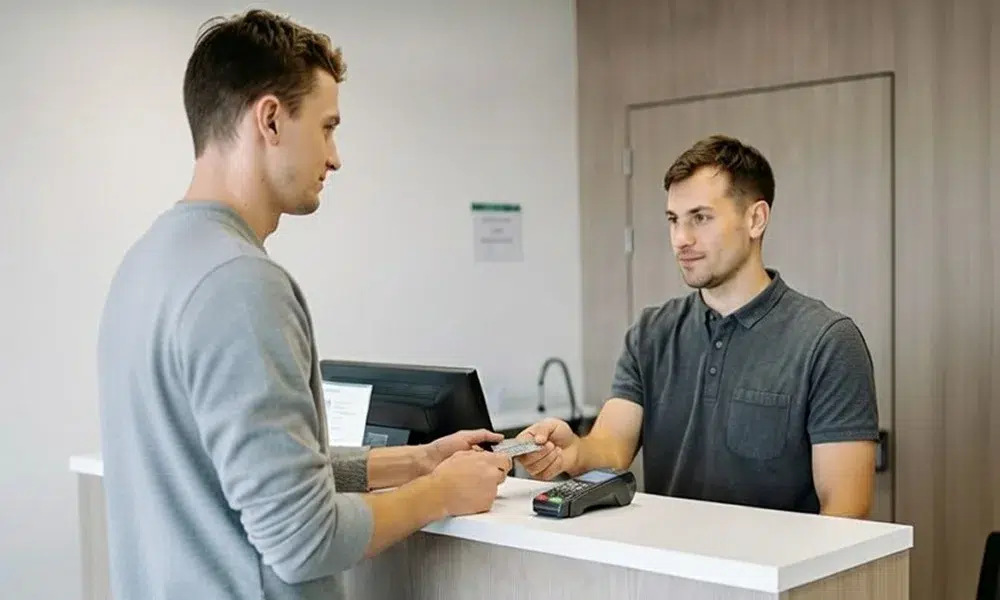
Traditional approach: Payments are delayed until checkout or handled later through billing statements.
Improved approach: Collect co-pays and outstanding balances at check-in using modern payment options.
Actions:
- Offer card, mobile, and online payment methods.
- Train staff to discuss payments clearly and respectfully.
This step supports a faster patient check-in process and improves revenue consistency.
Step 6 – Clinical Intake and Screenings
Traditional approach: Clinical staff spend time chasing missing forms or re-asking basic questions.
Improved approach: Ensure intake forms are completed digitally and reviewed during check-in.
Actions:
- Pre-fill known patient data.
- Use tablets or kiosks for screenings when appropriate.
This improves overall patient check-in workflow and reduces delays once the patient is roomed.
Step 7 – Handoff to Nurses and Providers
Traditional approach: Verbal updates or paper notes that are easy to miss.
Improved approach: Use EHR dashboards or automated alerts to notify the care team when the patient is ready.
Actions:
- Confirm arrival status in the system.
- Use visual or automated alerts to signal readiness.
A clear handoff ensures providers stay on schedule and patient flow remains consistent.
Digital vs. Paper Check-In: What Actually Changes
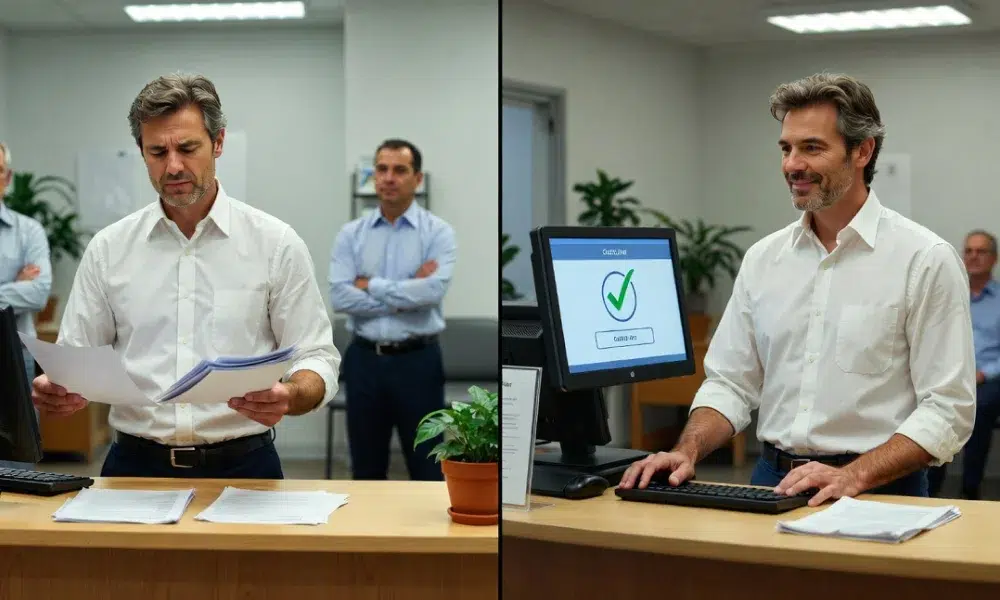
Moving from paper to digital check-in does not change the underlying procedure. It changes how efficiently each step is completed.
Tasks that can be handled digitally include forms, insurance uploads, consent documentation, and payments. These tools reduce manual work and errors.
Tasks that still require human judgment include answering patient questions, managing exceptions, and providing reassurance. Digital systems support staff rather than replace them.
When implemented correctly, digital tools enable clinic check-in process improvement without sacrificing personal interaction.
Efficient Check-In for Telehealth Visits
Telehealth visits also require a structured check-in flow. Without proper preparation, virtual appointments often start late or incomplete.
An efficient telehealth check-in process includes pre-visit instructions, digital forms and consent, and technology readiness checks. Some practices use AI-assisted tools to guide patients through these steps before the visit begins.
A defined telehealth check-in process ensures virtual visits run as smoothly as in-person appointments.
Practical Tips for Smoother Patient Check-In
- Use consistent scripts at the front desk.
- Separate workflows for new and returning patients.
- Clearly label kiosks and signage.
- Adjust staffing during peak arrival times.
- Offer multiple communication channels for reminders and follow-up.
These adjustments can dramatically improve patient check-in workflow without major investment.
Building a Check-In SOP Your Front Office Staff

Clear roles and responsibilities help streamline the check-in process, ensuring tasks are efficiently managed and patients experience minimal delays.
Roles and Responsibilities at the Front Desk
Clearly define each team member’s role to ensure smooth and efficient check-in operations. Assign specific responsibilities such as:
- Reminders: Ensure appointment reminders are sent out timely (via SMS, email, or phone).
- Arrival Monitoring: Designate staff to greet patients and confirm their arrival status quickly.
- Payment Collection: Assign someone to handle co-pays, outstanding balances, and insurance verification.
- Exception Handling: Have a staff member specifically responsible for managing complex cases, such as insurance issues or technical difficulties.
Why it matters: Clear ownership of tasks improves accountability, reduces confusion, and helps maintain consistent service during busy periods.
Training for Consistency and Patient-Friendly Communication
Training your front desk team is critical for ensuring a seamless patient check-in experience. Focus training on:
- Clear Greetings: Teach staff to greet patients warmly and professionally to set a positive tone.
- Managing Delays Calmly: Train staff to handle delays without frustration, ensuring patients feel informed and respected, even during peak times.
- Digital Tool Assistance: Provide training for staff to help patients who might struggle with digital tools like kiosks, patient portals, or mobile check-ins. This ensures that even patients unfamiliar with technology feel supported.
Why it matters: Consistent and patient-friendly communication is essential for creating a positive first impression and reducing patient anxiety during check-in.
Metrics U.S. Practices Should Track
To continually improve the check-in process, track these key metrics:
- Average Check-In Time: Measure how long it takes for patients to complete the check-in process. Strive to keep it under 3 minutes for returning patients.
- Pre-Registration Rates: Track how many patients complete pre-registration forms online. A higher rate can significantly reduce check-in time.
- No-Show Rates: Monitor no-show rates to identify trends and areas for improvement. High no-show rates may indicate issues with the check-in or reminder processes.
- Patient Feedback: Collect feedback from patients regarding their check-in experience to spot areas of improvement. This can include surveys or direct comments.
Why it matters: Tracking these metrics allows you to identify bottlenecks, measure improvements, and ensure a smoother, more efficient check-in process.
Common Mistakes in Patient Check-In
Identifying and understanding the common mistakes in the check-in process can help practices avoid delays, frustration, and inefficiencies. Here are some common pitfalls:
1. Implementing Technology Without Proper Training
Introducing new technology, such as digital check-in systems, without adequately training staff can lead to confusion, delays, and errors. Staff who are unfamiliar with the system may cause bottlenecks instead of improving efficiency.
2. Relying Too Much on Walk-In Paperwork
Many clinics still require patients to fill out forms upon arrival, which leads to longer wait times and increases the chance of errors during data entry. This can also cause frustration for both patients and staff.
3. Repeatedly Asking for the Same Information
Patients often have to provide the same personal and insurance information at each visit, even if nothing has changed. This redundancy wastes time and can make patients feel like their time is not valued.
4. Ignoring Accessibility Needs
Not accommodating patients with disabilities or those who may struggle with technology (e.g., elderly patients or non-English speakers) creates barriers during check-in. This can result in a negative experience for those who need extra assistance.
Conclusion
Creating an efficient patient check-in process does not require a complete overhaul. Start with reminders and pre-registration, then gradually add verification, payment collection, and real-time handoffs.
Document your seven-step procedure and train your team around it. Over time, these improvements will reduce check-in wait times, improve staff efficiency, and deliver a smoother, more patient-friendly check-in experience across your practice.
FAQs
How do you make the patient check-in process more efficient in a clinic?
Streamline patient check-in by using online forms, insurance uploads, and self-check-in options like kiosks or QR codes. Integrate check-in with your EHR system to reduce data re-entry and track average wait times to identify and fix bottlenecks, making the process faster and more predictable.
What are the key steps in a standard patient check-in procedure?
Key steps include verifying identity, confirming insurance, and collecting co-pays. Many clinics now include digital pre-registration and symptom questionnaires to speed up the process and reduce paperwork for returning patients.
How can digital pre-registration and mobile check-in reduce patient wait times?
Digital pre-registration allows patients to fill out forms and upload documents before their visit, speeding up check-in. Mobile check-in via apps or QR codes lets patients update info and announce arrival, reducing wait times in the clinic.
What must not be included on a patient sign-in sheet?
AI receptionists and digital check-in reduce front-desk bottlenecks by automating routine tasks like answering calls, capturing information, confirming appointments, and starting pre-registration. This allows staff to focus on complex issues, reducing phone time and paperwork, and speeding up in-clinic check-in.
How long should a patient check-in ideally take in a modern medical office?
Check-in should ideally take under 3 minutes for returning patients when pre-registration and EHR integration are in place. If check-in consistently takes longer, it’s a sign that processes need improvement.