


In the modern healthcare environment, managing patient appointments efficiently is crucial for the success of any clinic. Appointment reminders are not simply messages sent to patients; they are essential tools that enhance clinic efficiency, reduce no-shows, improve patient satisfaction, and protect revenue.
Clinics that implement appointment reminders effectively can not only improve attendance rates but also strengthen patient relationships and create smoother workflows across the organization.
This guide will explore the importance of appointment reminders, define what they are and how they differ from confirmations, explain the financial and operational costs of missed appointments, and provide ten detailed best practices for clinics.
In addition, it will offer actionable templates, explore the different types of reminders, highlight common mistakes, and review tools and automation platforms that can help clinics implement an effective system.
By the end of this guide, clinic managers and healthcare administrators will have a complete roadmap to maximize the value of their appointment reminder strategy.
Why Appointment Reminders Matter
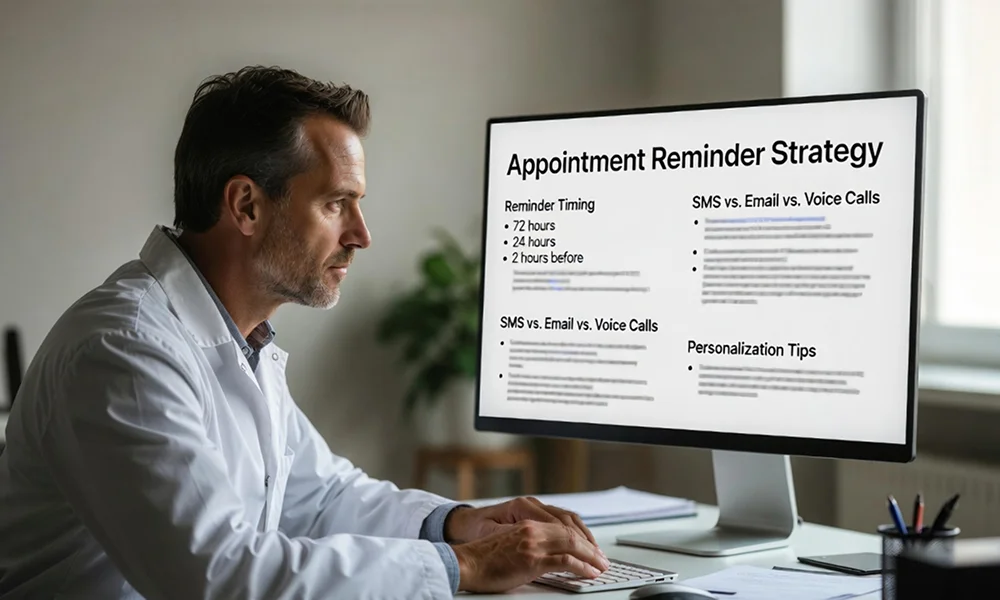
Clinic operations are directly affected by missed appointments. The impact is both emotional, in terms of patient trust and experience, and financial, in terms of revenue and resource management. Appointment reminders play a critical role in reducing these issues.
Reducing No-Shows
Research shows that no-show rates in outpatient clinics can range between 15 to 30 percent. Each missed appointment represents wasted time for providers, unused resources, and missed revenue opportunities.
Appointment reminders serve as proactive measures to encourage patients to attend their scheduled visits or to reschedule in advance if necessary. This helps clinics maintain consistent workflow and maximize the productivity of healthcare staff.
Studies have found that clinics implementing automated reminder systems can reduce no-show rates by 40 to 60 percent. These reductions directly translate to better use of provider time, fewer scheduling gaps, and improved patient flow.
Improving Patient Satisfaction
Patients value clear communication and timely information about their healthcare appointments. Receiving reminders that include the date, time, location, and provider details reduces anxiety, ensures patients arrive prepared, and demonstrates that the clinic prioritizes their experience.
A well-crafted reminder signals to the patient that the clinic is organized and professional, building trust even before the patient arrives for their appointment.
Smoother Clinic Workflows
Appointment reminders help clinics operate predictably. Staff can allocate resources efficiently, plan the schedule for the day, and reduce the stress of sudden cancellations or no-shows.
For administrative staff, knowing that patients are reminded on time reduces the burden of manually contacting each patient and allows them to focus on more strategic tasks such as managing patient records, insurance verifications, and workflow optimization.
Reduced Revenue Loss
Every missed appointment has a direct financial consequence. Consider a clinic that schedules 100 appointments per day, with an average revenue of $100 per visit.
At a 20 percent no-show rate, the clinic loses $2,000 daily. This loss is compounded over a week, a month, and a year, highlighting the critical financial importance of appointment reminders.
Enhanced Patient Experience
Patient satisfaction is a key driver of retention. Timely reminders are a form of proactive communication that helps patients engage with their care journey. When patients receive clear, easy-to-understand reminders, they feel cared for and supported, which encourages ongoing engagement and loyalty.
Quick Fact
- Average outpatient no-show rate: 15-30 percent
- Clinics using automated reminders reduce no-shows by 40-60 percent
- Personalized reminders are significantly more effective than generic messages
What are Appointment Reminders
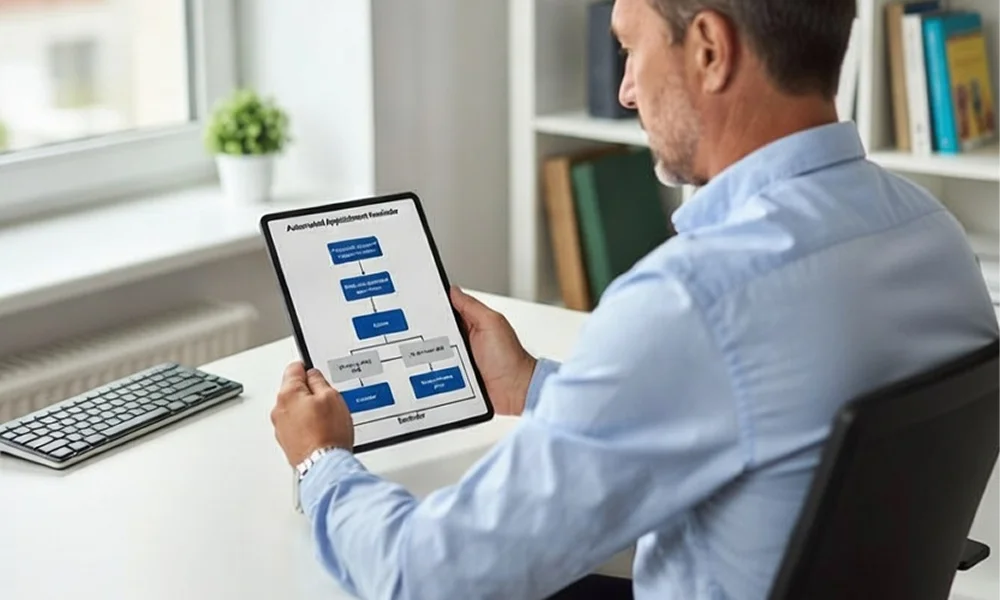
Understanding what appointment reminders are, and how they differ from other types of patient communication, is essential for effective implementation.
Definition
Appointment reminders are proactive messages sent to patients to notify them of an upcoming scheduled visit. Their primary goal is to encourage attendance, confirm participation, or prompt rescheduling if necessary. Reminders can be sent through multiple channels, including SMS, email, voice calls, or app notifications.
Differences Between Reminders and Confirmations
It is important to differentiate between reminders and confirmations:
- Reminders: Notify patients of an upcoming appointment and provide key information.
- Confirmations: Require the patient to actively acknowledge attendance, usually through a reply, click, or call.
While some systems combine both functions, understanding this distinction helps clinics design reminders that are actionable and effective.
Role in the Patient Journey
Appointment reminders should be strategically placed in the patient journey to maximize effectiveness. A typical journey might include:
- Appointment booking confirmation
- Initial reminder (72 hours before the visit)
- Follow-up reminders (24 hours and 2 hours before the visit)
- Optional post-appointment follow-up
By structuring reminders in a sequence, clinics increase the likelihood that patients will attend, reducing the stress of last-minute cancellations.
The Cost of Missed Appointments
Missed appointments have measurable operational, financial, and patient experience consequences.
Financial Losses
Missed appointments represent lost revenue opportunities. For example, a clinic that schedules 100 appointments per day at $100 each, with a 15 percent no-show rate, loses $1,500 daily, amounting to $7,500 weekly and nearly $400,000 annually. This does not account for indirect costs such as overtime for staff or rescheduling efforts.
Impact on Staff and Operations

No-shows create idle time for staff and disrupt clinic workflows. Nurses, front-desk personnel, and providers may have periods of inactivity or need to adjust schedules at the last minute. This inefficiency can lead to longer workdays, overworked staff, and potential burnout.
Patient Experience
Missed appointments can also negatively affect other patients. If a clinic’s schedule is disrupted, other patients may face delays or shorter consultations. Over time, frequent disruptions can reduce patient satisfaction and damage the clinic’s reputation.
Example Business Value Calculation
| Metric | Value |
|---|---|
| Daily Appointments | 100 |
| No-Show Rate | 15% |
| Average Revenue per Visit | $100 |
| Lost Daily Revenue | $1,500 |
| Lost Weekly Revenue | $7,500 |
| Lost Annual Revenue | $390,000 |
How each number is calculated
1. No‑shows per day
- Daily appointments × No‑show rate
- 100×15% = 100×0.15 = 15100×15% = 100×0.15 = 15 missed appointments per day
2. Lost daily revenue
- No‑shows per day × Average revenue per visit
- 15×100=1,50015×100=1,500
- Lost Daily Revenue = $1,500
3. Lost weekly revenue
- Lost daily revenue × 5 working days per week
- 1,500×5=7,5001,500×5=7,500
- Lost Weekly Revenue = $7,500
4. Lost annual revenue
- Lost weekly revenue × 52 weeks per year
- 7,500×52=390,0007,500×52=390,000
- Lost Annual Revenue = $390,000
Even modest improvements in reminder systems can result in significant financial returns.
10 Best Practices for Appointment Reminders
These practices provide detailed strategies for designing and implementing reminders that reduce no-shows, improve patient engagement, and enhance operational efficiency.
1. Tailor Messages to Your Audience
A one-size-fits-all approach to reminders is ineffective. Understanding patient demographics, communication preferences, and cultural considerations allows clinics to craft messages that resonate.
For instance, younger patients may prefer SMS or app notifications, while older patients may prefer email or phone calls. Multilingual messaging may be necessary in diverse patient populations.
2. Use Multiple Channels
Delivering reminders through multiple channels increases visibility and engagement. SMS, email, phone calls, and app notifications each have unique strengths.
SMS provides immediacy, emails allow for more detailed information, and voice calls add a personal touch. Clinics should consider combining channels based on patient preferences to maximize effectiveness.
3. Time Reminders Strategically
The timing of reminders affects response rates. Evidence-based timing recommendations include:
- Initial reminder: 72 hours before the appointment
- Follow-up reminder: 24 hours before the appointment
- Final reminder: 2 hours before the appointment
Behavioral data can refine timing further. For example, some patients may respond better to evening reminders for morning appointments.
4. Keep Messages Clear and Actionable
Clarity is crucial. Each reminder should include the patient’s name, appointment date and time, provider, clinic location, and a clear call to action, such as “Reply YES to confirm” or “Call to reschedule.” Limiting the message to one primary objective reduces confusion and improves patient engagement.
5. Personalize Reminders
Personalization improves response rates. Messages should use the patient’s name, reference the provider, and include any relevant instructions. Personalized messages feel human and demonstrate that the clinic is attentive to individual patient needs.
6. Provide Easy Confirmation Options
Minimizing barriers to confirmation increases compliance. Simple reply options such as “YES” or “NO,” clickable buttons in SMS, or one-tap email responses reduce friction and make it easy for patients to respond promptly.
7. Build a Follow-Up Reminder Sequence

Sequential reminders are more effective than single messages. A structured sequence might include an initial reminder three days before, a follow-up 24 hours before, a final reminder two hours before, and a cancellation notification if the patient does not confirm. Each message provides multiple opportunities for patient engagement and reduces last-minute no-shows.
8. Integrate with Your Scheduling System
Integration with electronic health records (EHR) or practice management systems (PMS) ensures reminders are accurate and automated. Integration reduces manual errors, ensures consistency, and allows reminders to be triggered automatically based on real appointment data.
9. Monitor and Measure Performance
Tracking metrics such as open rates, confirmation rates, click-through rates, and no-show rates is essential. Data analysis enables clinics to refine messaging, timing, and channel strategies. Continuous monitoring improves operational efficiency and patient engagement over time.
10. Ensure Compliance and Privacy
Compliance is non-negotiable. Clinics must ensure that reminders adhere to privacy regulations such as HIPAA, that patient consent is obtained for communications, and that messages are sent through secure channels. Failure to comply can result in legal consequences and loss of patient trust.
Templates and Example Messages
Ready-to-use templates save time and ensure consistency. Below are examples for SMS, email, and voice reminders.
SMS Templates
- Standard Reminder (72 hours before): Hi [Patient Name], this is a reminder for your appointment with [Provider] on [Date] at [Time]. Reply YES to confirm or call to reschedule.
- 24-Hour Reminder: Reminder: Your appointment with [Provider] is tomorrow at [Time]. Reply YES to confirm or NO to cancel.
- 2-Hour Reminder: Your appointment with [Provider] starts in two hours. Reply YES if you are on your way.
- Cancellation Option: If you need to cancel or reschedule, reply CANCEL or call [Phone Number].
Email Templates
- Warm Reminder: Hi [Patient Name], you have an appointment scheduled with [Provider] on [Date] at [Time]. Please reply YES to confirm or contact us if you need to reschedule.
- Calendar Invite Email: Includes appointment details in an attached calendar file for convenience.
Voice Message Scripts
- Hello [Patient Name], this is [Clinic Name] reminding you of your appointment with Dr. [Provider] on [Date] at [Time]. Press 1 to confirm or call [Phone Number] to reschedule.
Types of Appointment Reminders
| Type | Purpose | Timing |
|---|---|---|
| Confirmation Reminder | Verify patient attendance | Immediately after booking |
| Pre-Visit Reminder | Reduce no-shows | 72 hours and 24 hours before visit |
| Last-Minute Reminder | Ensure punctuality | 2 hours before appointment |
| No-Show Follow-Up | Reschedule missed visits | After a missed appointment |
Common Mistakes to Avoid
Common pitfalls that reduce the effectiveness of appointment reminders include:
- Sending generic messages without personalization
- Sending too many reminders and overwhelming patients
- Sending reminders at inappropriate times
- Failing to track performance metrics
- Not integrating reminders with scheduling systems
- Ignoring patient communication preferences
Tools and Automation Platforms
Automation helps clinics scale their reminder processes. Key types of tools include:
- SMS Reminder Tools: Focus on text message delivery
- EHR Reminder Integrations: Connect reminders to clinic scheduling
- Voice Reminder Platforms: Automated calls to patients
- AI Reminder Assistants: Use AI to send interactive messages and manage responses
When selecting a tool, consider integration capabilities, analytics, compliance, and support for multiple channels.
Conclusion
Appointment reminders are essential for clinics that want to reduce missed appointments, improve patient engagement, and optimize operational efficiency.
Implementing best practices such as personalization, strategic timing, multi-channel delivery, scheduling system integration, performance monitoring, and regulatory compliance can transform the way clinics manage patient appointments.
Clinics should consider downloading an appointment reminder checklist, using ready-made templates, and exploring automated tools to implement an effective reminder system.
By investing in reminders, clinics not only improve attendance rates but also enhance patient experience, protect revenue, and streamline operations.
FAQs
How many reminders should clinics send?
Three reminders are ideal: initial (72h before), follow-up (24h before), and final (2h before).
What’s the best time to send appointment reminders?
Send reminders 72 hours, 24 hours, and 2 hours before the appointment, timed to patient convenience.
Are SMS reminders HIPAA-compliant?
Yes, if sent through secure, encrypted platforms with patient consent.
Do appointment reminders really reduce no-shows?
Yes, reminders can reduce no-shows by 40–60 percent according to multiple studies.
What channels work best for healthcare reminders?
A combination of SMS, email, voice calls, and app notifications works best, tailored to patient preferences.